

Financial forecasting tools for small business owners: what actually works (and what wasted my money)
A florist I know projected $18,000 in December revenue last year. She hit $11,400. Not because business was bad — because she built her forecast in November, when wedding deposits were still rolling in, and never adjusted for the fact that walk-in traffic dies the week before Christmas. Her spreadsheet was beautiful. It was also fiction.
That story is the whole problem with financial forecasting tools for small business owners in a nutshell. The tool rarely fails. The assumptions behind it do. And most of the guidance out there either sells you software or explains what a cash flow statement is, without ever telling you which tool fits your situation or how to keep the numbers honest.
I've built forecasts for a two-person consultancy, a product business with seasonal swings, and a service company with lumpy invoicing. I've used Excel, Google Sheets, LivePlan, and a handful of free tools that promised more than they delivered. Here's what I'd tell you if you asked me over coffee.
Key Takeaways
- Your tool choice should follow your revenue pattern, not your budget — a SaaS business and a landscaping company need completely different models.
- Free spreadsheets handle most businesses under roughly $500k in revenue. Paid software earns its fee when you need scenario planning or investor-ready output.
- The most common failure isn't the software — it's static assumptions. A forecast you don't update monthly is a museum piece.
- Cash flow forecasting matters more than profit forecasting for survival. Plenty of profitable businesses die from timing, not margins.
- Ignore seasonality at your peril. For many small businesses, three months carry the entire year.
Which financial forecasting tool actually fits your business?
The honest answer: it depends on three things, and none of them is "how much does it cost."

I watched a friend running a SaaS side project spend two weekends wrestling with a template built for retail inventory. Wrong tool, wrong assumptions, wasted time. Meanwhile a bakery down the street runs a dead-simple 12-month cash flow sheet that's been accurate within 8% for two years.
Match the tool to your revenue pattern
Revenue pattern drives everything. If you bill clients on 30 or 60-day terms, you need a tool that tracks receivables separately from sales — otherwise you'll forecast money you haven't collected. Subscription businesses need churn and MRR logic. Retail and hospitality need weekly granularity, because a bad Saturday is a real event, not a rounding error.
Here's how the main options stack up:
| Tool type | Best for | Typical cost | Main limitation |
|---|---|---|---|
| Google Sheets / Excel template | Pre-revenue to ~$500k revenue; anyone who wants full control | Free | Breaks easily; no built-in scenario switching |
| LivePlan | Business plans for lenders or investors | Roughly $15–$40/month | Heavier than most solo owners need |
| Baremetrics | Subscription and SaaS revenue tracking | Starts around $50/month | Narrow focus on recurring revenue metrics |
| Accounting software add-ons | Businesses already living in QuickBooks or Xero | Varies, often included | Forecasting is usually a stripped-down feature |
| Dedicated FP&A tools | Businesses past $1M with a finance hire | $100+/month | Overkill, and the learning curve is real |
Notice what's missing: a single "best" answer. That's deliberate. Anyone selling you one tool for every business is selling, not advising.
Your stage matters more than your sector
Pre-revenue? Build in a spreadsheet. You don't have enough historical data for software to add value, and you'll change your model three times before you launch.
Growing and hiring? Paid tools start earning their keep, mostly because they handle the version control and scenario testing your spreadsheet can't.
Established with steady revenue? Honestly, a well-maintained sheet plus your accounting software may be all you ever need. I've seen seven-figure businesses run on nothing fancier.
The rule I've landed on: upgrade your tool when the manual work costs you more than the subscription. Not before.
Spreadsheet or dedicated software? The question nobody answers straight
Here's a number that surprised me: when I rebuilt a cash flow model in Google Sheets after spending two months in a paid tool, the output was within 4% of what the software projected. The software cost me $29 a month. The sheet cost me an afternoon.

So why would anyone pay?
When spreadsheets win
- You have fewer than three revenue streams
- Your financial knowledge is basic but your spreadsheet skills are decent
- You want to understand every formula because you built it yourself
- Investors or lenders haven't asked for anything fancier
- You update it yourself and actually do it
The trap with spreadsheets isn't capability. It's discipline. A formula gets overwritten, someone hardcodes a number, and six months later nobody trusts the file.
When software earns its fee
Software wins when you need to test multiple scenarios side by side, when a lender wants formatted output, or when recurring revenue means churn assumptions need to update automatically. If your model has more than four moving variables, the manual effort compounds fast.
My honest position: for most small business owners reading this, a disciplined spreadsheet beats an undisciplined subscription. The discipline is the tool. Software just makes discipline easier to maintain.
The catch? Software can also give you false confidence. A clean dashboard doesn't mean the numbers underneath are sound.
Free financial forecasting tools that are worth your time
Plenty of free options exist. Most are mediocre. A few are genuinely useful, and the distinction usually comes down to whether the tool forces you to think about timing — when money actually moves — rather than just totals.
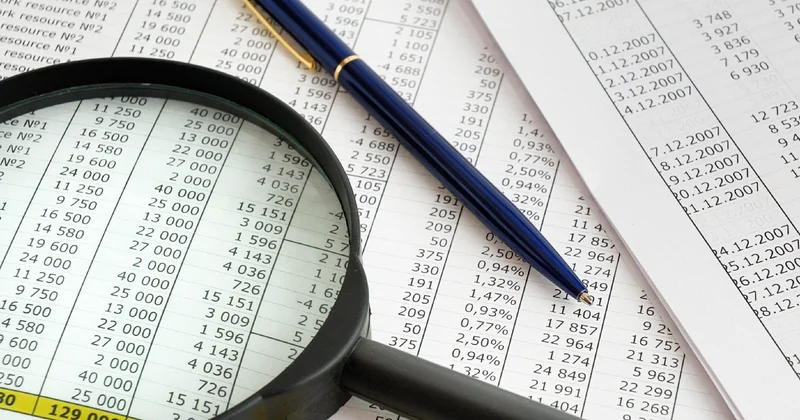
Google Sheets and Excel templates
The best free option remains a template you customize yourself. Search for a 12-month cash flow template, then spend an hour adapting it to your revenue cycle. The value isn't the template — it's the hour you spend understanding where your money actually comes from.
I keep two tabs: one for cash in versus cash out, one for the assumptions behind every line. That second tab is what saves me. When reality diverges, I can see which assumption was wrong instead of staring at a broken total.
Built-in forecasting in accounting software
If you already pay for accounting software, check whether it includes a forecasting module before buying anything else. Many do, and while the features are limited, they pull from your actual transaction data. That's a meaningful advantage over a blank sheet where you type in guesses.
Use free trials strategically
Most paid tools offer a trial. Don't just click around — build one real forecast for your business during the trial window. If you finish it and understand the output, you've learned whether the tool fits. If you're still confused after two weeks, that's your answer.
The forecasting mistakes that cost me real money
I've made most of these. Some cost me sleep; a couple cost me actual cash.
Assuming growth will be linear
My first forecast for a service business assumed revenue would climb about 8% every month. It didn't. It jumped, stalled for two months, then jumped again. Linear assumptions feel safe and are almost always wrong. Use ranges instead, and plan for the low end.
Ignoring seasonality
If a third of your annual revenue lands in one quarter, your monthly forecast is meaningless without that shape baked in. I once forecast a flat $9,000 a month for a business that actually made $4,000 in February and $21,000 in June. The average was right. The monthly numbers were useless for planning.
Confusing profit with cash
You can be profitable and still miss payroll. It happens when customers pay late while your bills don't wait. Track cash separately, at least monthly, and watch the timing gap between when you invoice and when the money clears.
Building the forecast once and never touching it
This is the killer. A forecast is a living document. I now set a recurring 45-minute block on the first Monday of each month to compare actuals against projections. The comparison is worth more than the projection itself — it tells you where reality is drifting.
How often should you update a financial forecast?
Monthly is the practical minimum for most small businesses. If your revenue is volatile or you're managing tight cash, do it weekly. The comparison against actuals matters more than the forecast's precision.
What's the difference between cash flow forecasting and profit forecasting?
Profit forecasting estimates what you'll earn after expenses over a period. Cash flow forecasting tracks when money enters and leaves your accounts. For survival planning, cash flow is the one that keeps your lights on.
Can a free tool really handle a small business forecast?
For most businesses under roughly $500k in revenue with straightforward revenue streams, yes. The limitation is usually discipline and version control, not the software's capability.
Building a forecast that holds up when reality arrives
Start with your last 12 months of actuals if you have them. If you don't, start with your five biggest expense categories and your two most reliable revenue sources. You don't need everything — you need the lines that move the needle.
Build three versions: a worst case, a realistic case, and a best case. Now here's the part most people skip — plan your decisions around the worst case, celebrate when you land in the middle, and don't build your hiring plans on the best case. That's how a forecast becomes useful instead of decorative.
Then pick your tool. If you're pre-revenue or under a few hundred thousand in annual sales, a spreadsheet will serve you. If you're testing scenarios constantly or answering to a lender, pay for something built for the job.
But here's the thing I keep coming back to: the tool never once saved a business. The owner who checks the numbers on the first Monday of every month did.


